


Sable
Your whole DNS stack. One binary.
Tech Stack
Features
- Recursive and authoritative DNS over UDP, TCP, DoT, DoH, and DoQ
- 5.5x less memory and 2.3x less CPU than Technitium at higher throughput
- Recursive DNSSEC validation plus automatic zone signing with managed key rollover
- Domain blocking with block-list subscriptions, allow overrides, and client bypasses
- Live dashboard, query logs, and a query detail drawer that explains every answer
- Primary/replica clustering with signed state snapshots and real-time sync telemetry
- ACME DNS-01 certificate automation and dynamic DNS through nine built-in providers
- UniFi synchronization that publishes network hosts as DNS records
- Users, RBAC, API tokens, OpenID Connect SSO, and a persistent audit log
- Passphrase-sealed backup and restore, verified self-update, and a hardened systemd installer
About Sable

Sable started where Isotope left off. Isotope gave Technitium DNS Server a modern face, but the more I used it the more I wanted the whole stack to be one thing: the resolver, the authoritative server, the policy engine, the console, and the operational tooling, all built together and shipped as a single file.
So I built it. Sable is one static Go executable containing the DNS server, a DNS client, the administrative API, database migrations, and a reactive web console. Drop the binary on a box, run one command, and you have a full DNS platform with a first-run setup wizard waiting in the browser.
Why Sable?
- One binary, no runtime: The console is server-rendered with templ and htmx. There is no Node.js, no frontend build, and nothing to install besides Sable itself.
- Recursive and authoritative in one place: Direct iterative recursion or conditional forwarding, plus Primary, Secondary, Stub, Forwarder, Alias, and Catalog zones with AXFR/IXFR and TSIG-authenticated updates.
- Real DNSSEC: Recursive validation with RFC 5011 root-anchor rollover on the resolver side, and automatic Ed25519/ECDSA signing with managed KSK/ZSK rollover on the authoritative side.
- Answers you can explain: Every query in the log opens a detail drawer that walks through the policy, cache, resolver, route, and DNSSEC decisions behind the response.
- Built for more than one server: Durable primary/replica clustering keeps every node answering DNS from local state even when the primary is unavailable.
- Secure by default: Argon2id passwords, server-side sessions, CSRF defense, login throttling, RBAC, an AES-256-GCM secret vault, and OpenID Connect single sign-on.
Faster and lighter than Technitium
Sable is built for the DNS workload, not the runtime around it. I benchmarked it head-to-head against Technitium DNS Server 15.4 as UDP forwarding resolvers under identical two-core, 1 GiB Docker limits, with fresh state for every trial and five alternating runs. Sable came out ahead on every axis:
- 5.5x smaller memory footprint: 18.8 MiB average under load versus 102.8 MiB
- 2.3x less CPU for the same workload: 80% of two cores versus 186%
- 4.7% more queries per second: 85,513 q/s versus 81,696 q/s
- 3.4% lower latency: 2.25 ms versus 2.33 ms mean response time
- 9 process threads instead of 31 to 37
Every figure comes from matched workloads with preserved raw data, and any run with more than 1% query loss is thrown out. The full methodology and results are on the benchmarks page, and the benchmark protocol lets you reproduce it yourself.
Screenshots
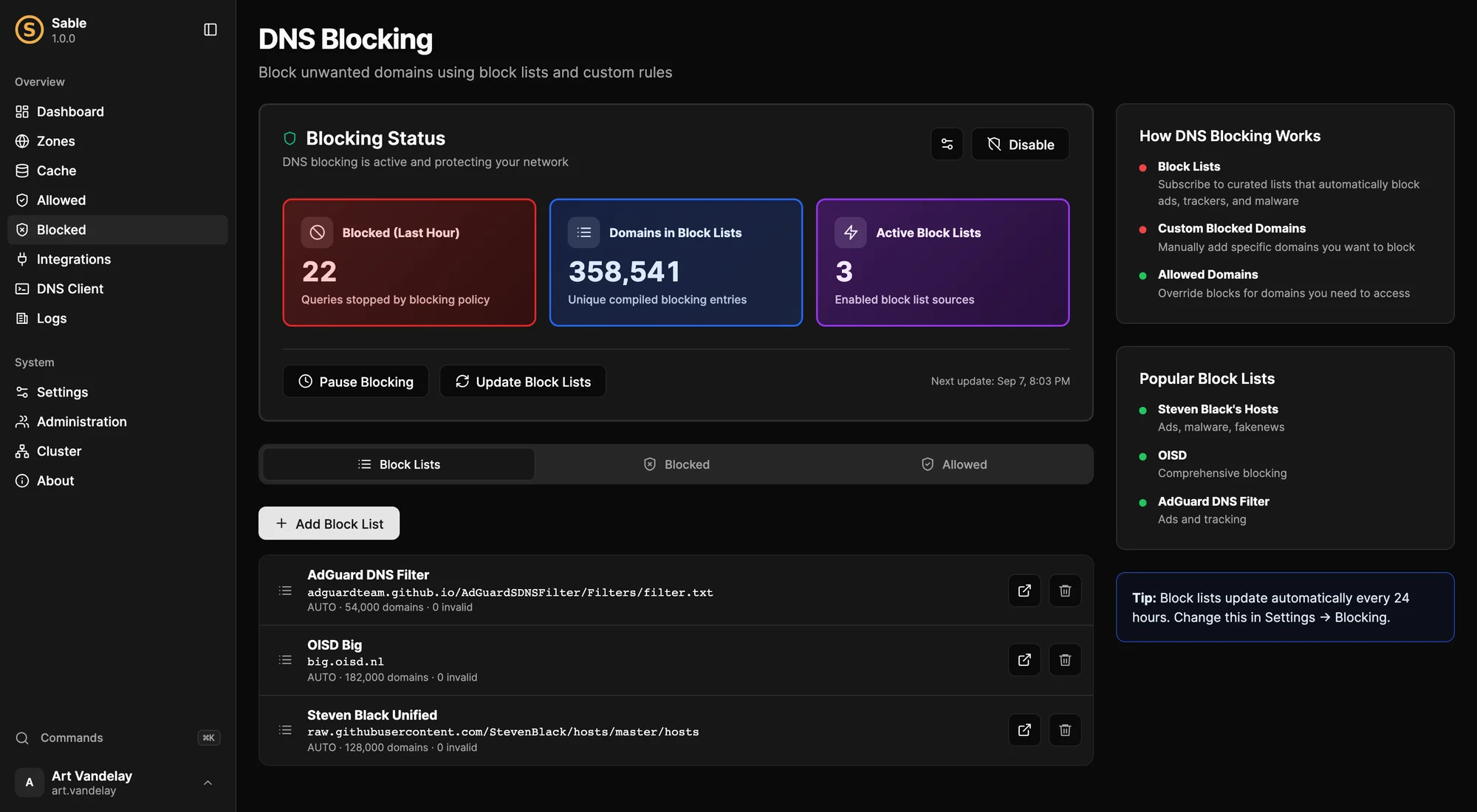
Blocking with block-list subscriptions, custom rules, allowed overrides, and one-click pause.
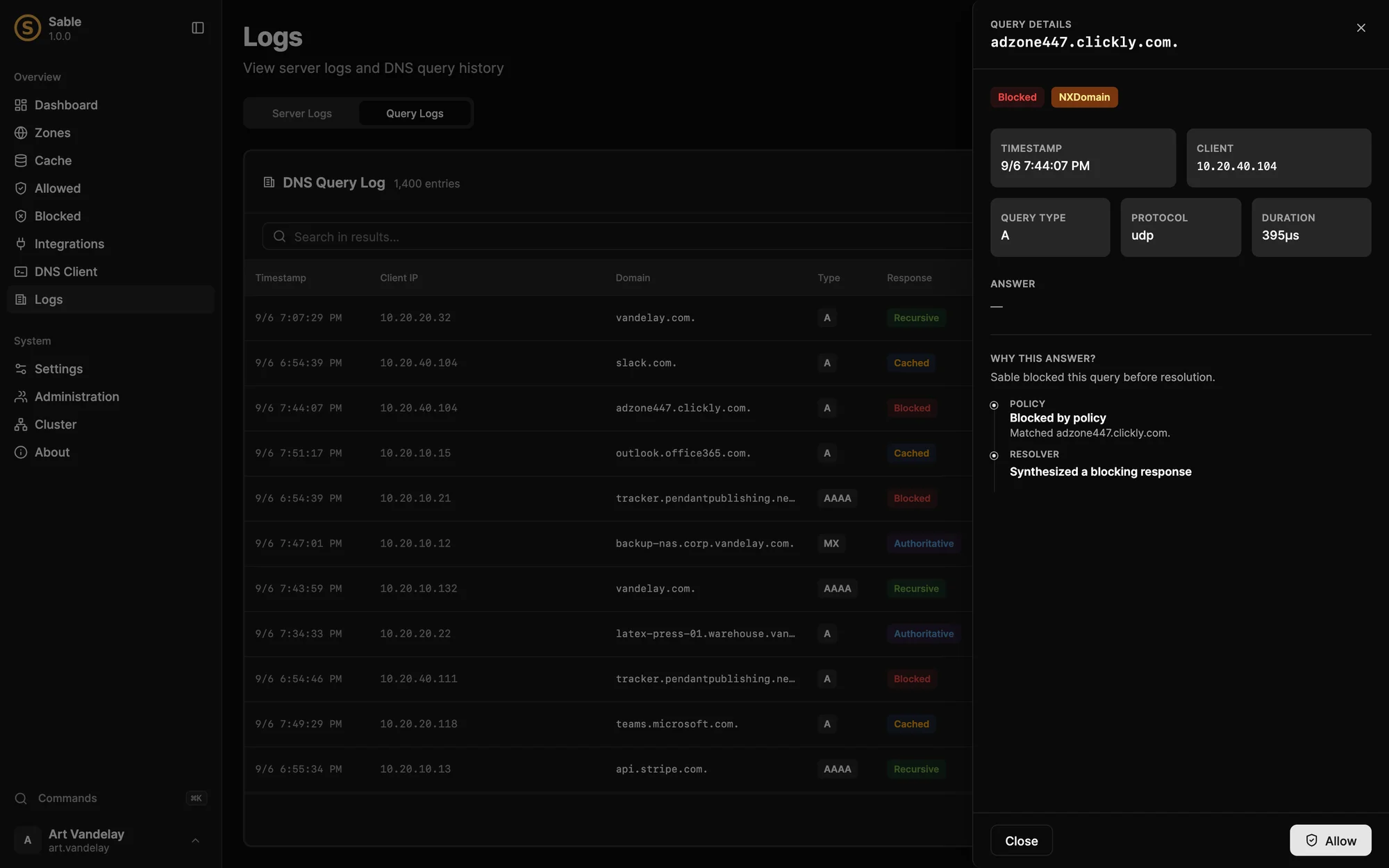
The query detail drawer explains exactly why Sable gave the answer it did.
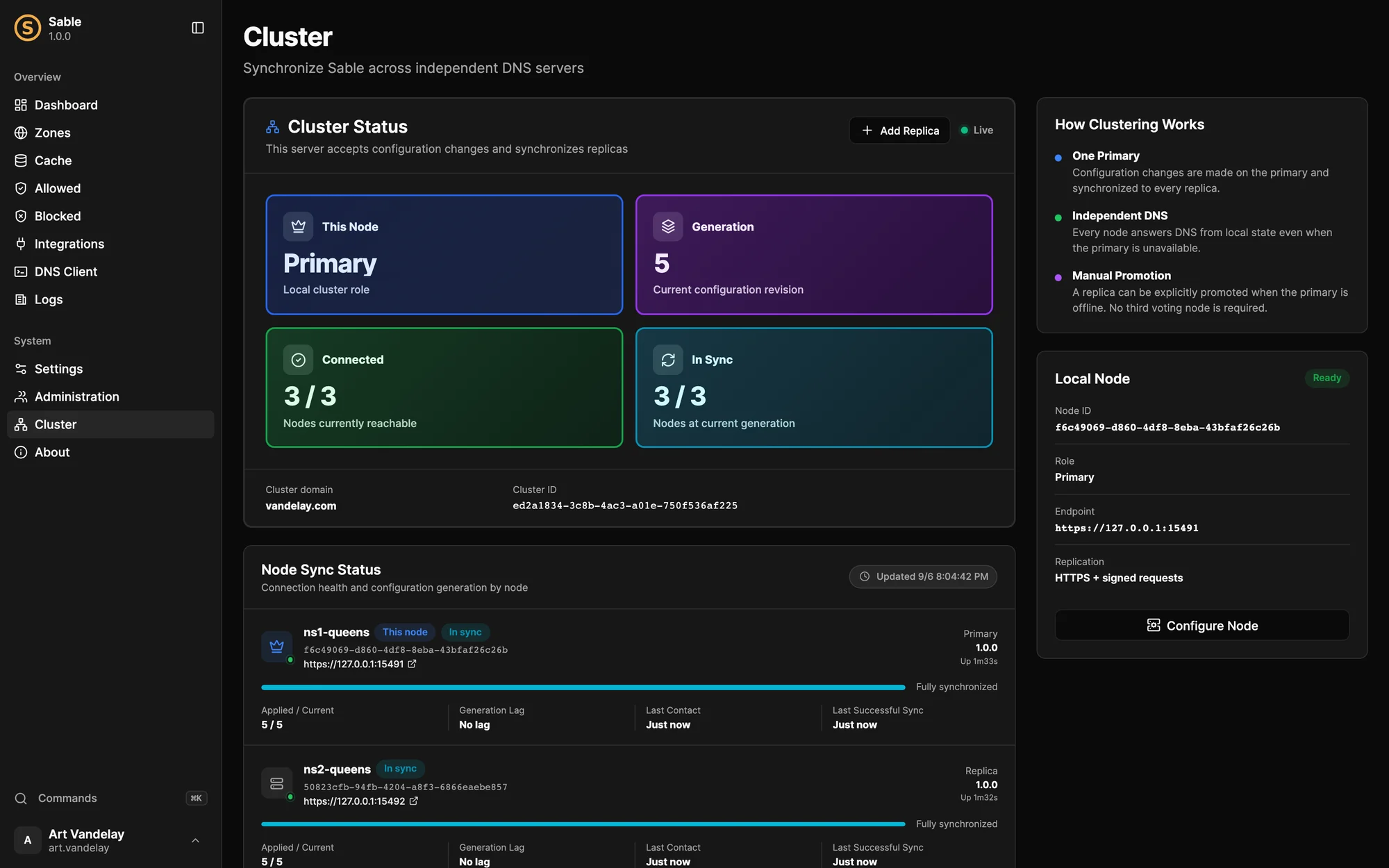
Cluster status with live node sync telemetry across primary and replica servers.
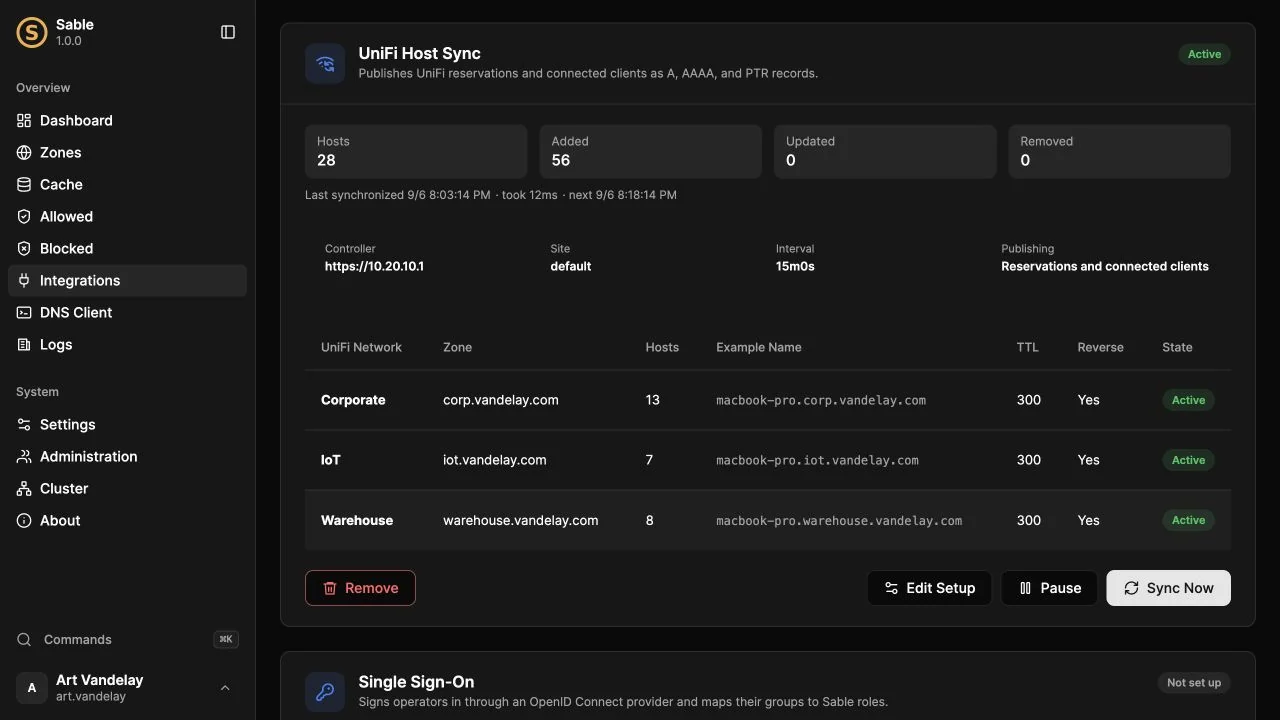
UniFi synchronization maps each network to a zone and keeps host records current.
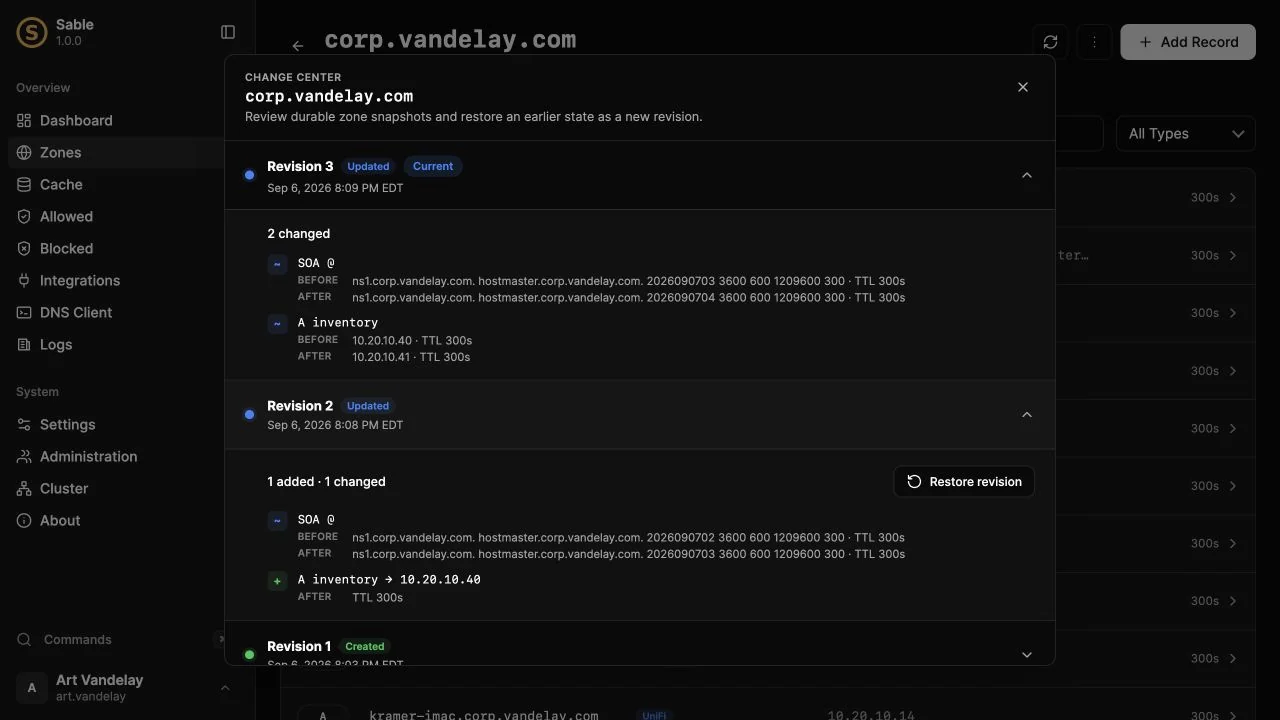
The Change Center keeps zone revisions so you can inspect differences and roll back.
Getting Started
The fastest way to try Sable is the container image. It runs as a non-root user, keeps all of its state in a single volume, and listens for DNS on an unprivileged port that you publish as port 53:
1docker volume create sable-data2docker run --detach --name sable --restart unless-stopped \3 --dns 1.1.1.1 --dns 9.9.9.9 \4 --publish 53:8053/tcp \5 --publish 53:8053/udp \6 --publish 127.0.0.1:5380:5380/tcp \7 --volume sable-data:/data \8 --env TZ=America/New_York \9 ghcr.io/drudge/sable:latestThen open the console in your browser and walk through the first-run administrator setup. On Linux, Sable can also install itself as a hardened systemd service with a single command.
Full documentation lives at sabledns.io, and the source is on GitHub under the MIT license.